Social Network Analysis (SNA) Diagrams
Free TrialSentinel Visualizer integrates Social Network Analysis (SNA) directly into your link chart diagrams so you can quickly generate SNA metrics on your data. Generate the raw data and see it visually without programming!
Some of the key concepts of Network Metrics come from the field of Social Network Analysis (SNA). SNA provides a set of methodologies and formulas for calculating a variety of criteria that map and measure the links between things. Using Social Network Analysis, you can get answers to questions like:
- How highly connected is an entity within a network?
- What is an entity's overall importance in a network?
- How central is an entity within a network?
- How does information flow within a network?
SNA provides a rich set of metrics, many of which are used in the Sentinel Visualizer Network Metrics functionality.
SNA Highlights
- Social Network Analysis is directly integrated into the Sentinel Visualizer product
- Quickly perform Social Network Analysis on your Big Data sets.
- Use SNA without the cumbersome interfaces from academic programs.
- Sentinel Visualizer is a desktop application that installs quickly and easily.
- Seamless import and export of data, including Access, Excel, Text, etc.
Degree centrality is the number of direct relationships of an entity.
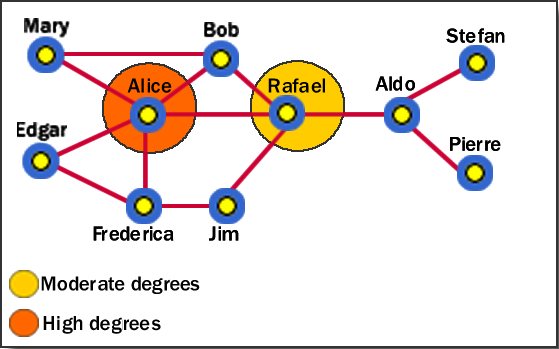
An entity with high degree centrality:
- Is generally an active player in the network.
- Is often a connector or hub in the network.
- Is not necessarily the most connected entity in the network (an entity may have a large number of relationships, the majority of which point to low-level entities).
- May be in an advantaged position in the network.
- May have alternative avenues to satisfy organizational needs, and consequently may be less dependent on other individuals.
- Can often be identified as third parties or deal makers.
In our example network diagram above, Alice has the highest degree centrality, which means that she is quite active in the network. However, she is not necessarily the most powerful person because she is only directly connected within one degree to people in her clique—she has to go through Rafael to get to other cliques.
Betweenness centrality identifies an entity's position within a network in terms of its ability to make connections to other pairs or groups in a network.
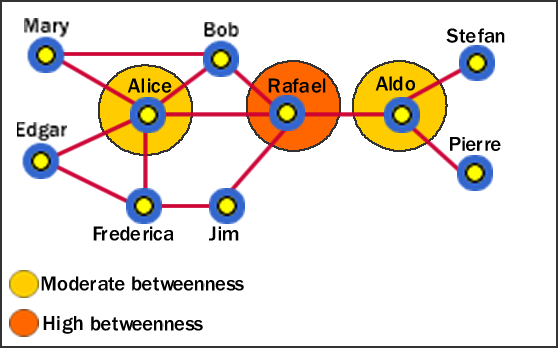
An entity with a high betweenness centrality generally:
- Holds a favored or powerful position in the network.
- Represents a single point of failure—take the single betweenness spanner out of a network and you sever ties between cliques.
- Has a greater amount of influence over what happens in a network.
In the example, Rafael has the highest betweenness because he is between Alice and Aldo, who are between other entities. Alice and Aldo have a slightly lower betweenness because they are essentially only between their own cliques. Therefore, although Alice has a higher degree centrality, Rafael has more importance in the network in certain respects.
Closeness centrality measures how quickly an entity can access more entities in a network.
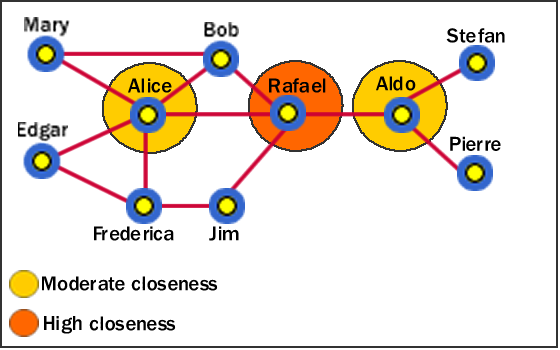
An entity with a high closeness centrality generally:
- Has quick access to other entities in a network.
- Has a short path to other entities.
- Is close to other entities.
- Has high visibility as to what is happening in the network.
As with the betweenness example, Rafael has the highest closeness centrality because he can reach more entities through shorter paths. As such, Rafael's placement allows him to connect to entities in his own clique, and to entities that span cliques.
Note: If the network contains any entities that are un-linked (i.e. not linked to any other entities), the Closeness value for all entities in the network is 0. This is due to formulas and algorithms established in Social Network Analysis.
Eigenvalue measures how close an entity is to other highly close entities within a network. In other words, Eigenvalue identifies the most central entities in terms of the global or overall makeup of the network.
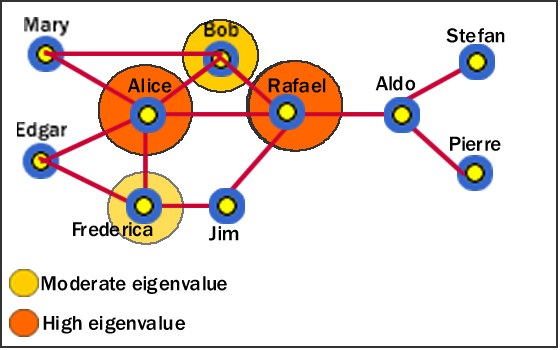
A high Eigenvalue generally:
- Indicates an actor that is more central to the main pattern of distances among all entities.
- Is a reasonable measure of one aspect of centrality in terms of positional advantage.
In this example, we can see that Alice and Rafael are closer to other highly close entities in the network. Bob and Frederica are also highly close, but to a lesser value.
Entities that many other entities point to are called Authorities. In Sentinel Visualizer, relationships are directional—they point from one entity to another. If an entity has a high number of relationships pointing to it, it has a high authority value, and generally:
- Is a knowledge or organizational authority within a domain.
- Acts as definitive source of information.
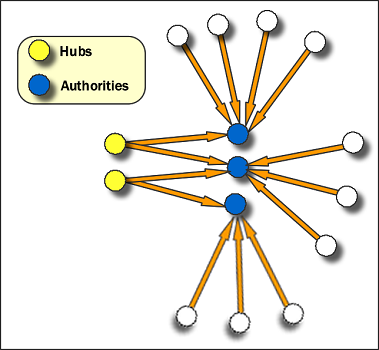
Hubs are entities that point to a relatively large number of authorities. They are essentially the mutually reinforcing analogues to authorities. Authorities point to high hubs. Hubs point to high authorities. You cannot have one without the other.
Take a look at the following network diagram. From a visual standpoint, some clusters and centrality are visible. But the density of information makes it difficult to see all the centrality aspects.
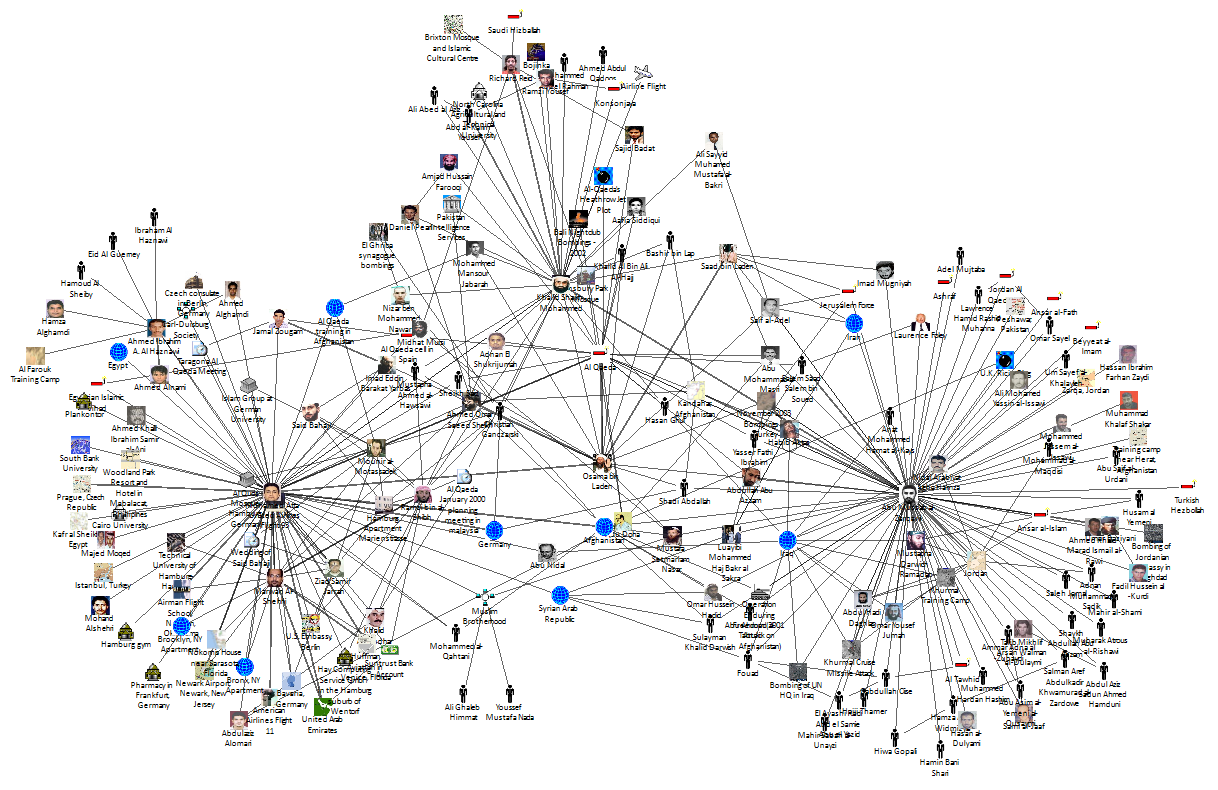
Sentinel Visualizer makes Social Network Analysis available with just a single click of a button. Press the refresh button and the Social Network Analysis Metrics are calculated for every item on the diagram.
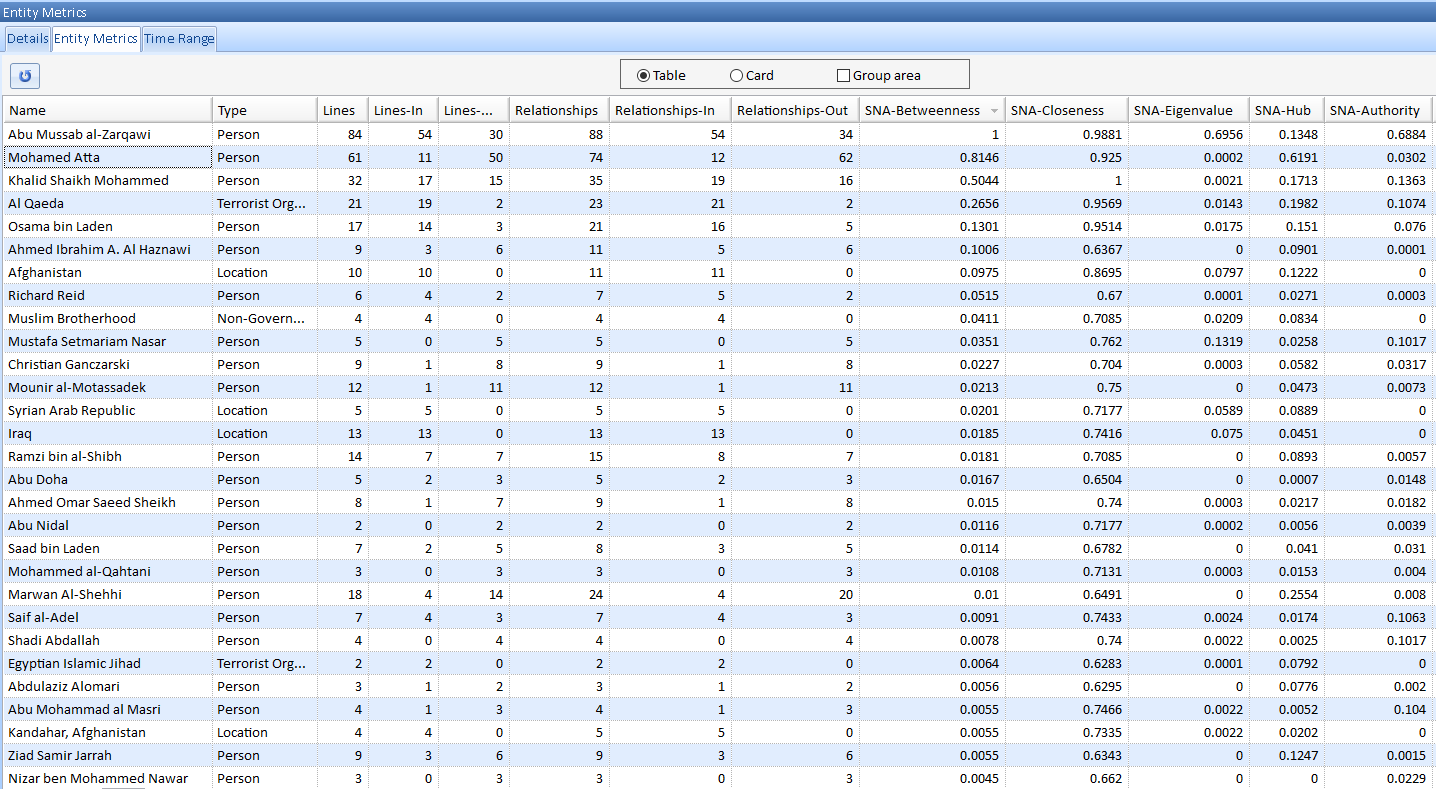
Now you can see centrality measures that clearly show the most central nodes in the network. You can sort by any Social Network Analysis number, or click on any node to find its place in the network.
You can apply Gradient Metrics to instantly display Social Network Analysis values on your link chart. Select an SNA metric and Sentinel Visualizer adjusts each node on the network to reflect its value.
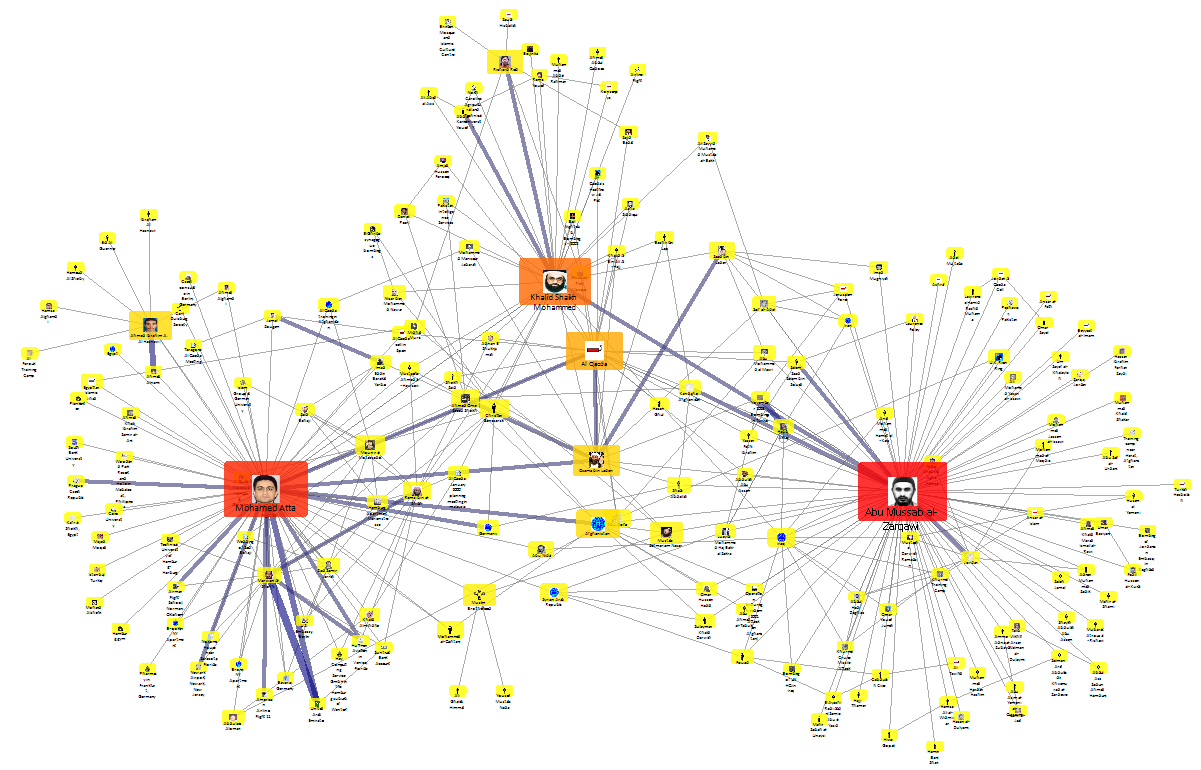 Gradient Metrics using color and size for increasing Betweenness, with lines displaying increasing Relationship Counts
Only Sentinel Visualizer makes it easy to apply the power of Social Network Analysis to your data. Use it to find hidden meaning, patterns, and trends in any data set.
Here's an MIT Technology Review article mentioning Sentinel Visualizer on Building a Picture of the Boston Marathon Bombing Suspects through Social Network Analysis.
 At one time, we had a version of Sentinel Visualizer for Facebook, but a change in their controversial API ended that initiative.
Here's our story:
At one time, we had a version of Sentinel Visualizer for Facebook, but a change in their controversial API ended that initiative.
Here's our story:
Facebook Application with Social Network Analysis (SNA) and Geospatial Mapping
Microsoft Certified Partner

Partners Welcome
Do you provide services to government and commercial customers seeking analytic solutions?
Contact us
In-Q-Tel Portfolio Company

Discover
Sentinel Visualizer Comparison to Harris/IBM's i2 Analyst's Notebook