Telephone Call Data Records (CDR) Database with Targeted Phone Numbers
Free TrialBackground
This sample database contains telephone call data records (CDR) imported from a list of phone calls and people with the phone numbers they own.
There are around 4,800 phone numbers and 4,000 calls between them.
Objective
How do we start and prioritize our investigation?
There are 9 phone numbers we suspect are involved. Are they even in the database? If so, do they call each other directly or through others? Ultimately, we need to know who is actually calling each other.
555-1038 555-1058 555-1821 555-1877 555-1950 555-3803 555-4053 555-5802 555-6759 |
Sentinel Visualizer Analysis
Explore how Sentinel Visualizer helps you find the hidden connections to prioritize your investigation.
On the Sentinel Visualizer Home Page, click Entity Search located in the Search panel.
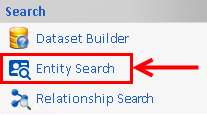
The Entity Search form appears with a list of recently selected entities. Click the Advanced button to perform the new search:

- Advanced Entity Search
- From the Name and Type tab
- In the Name grid, copy and paste the list of phone numbers above.
- In the Entity Type list, select Phone Number. (This is not necessary in this case since the phone numbers don't match names of Persons, but may be useful in other cases.)
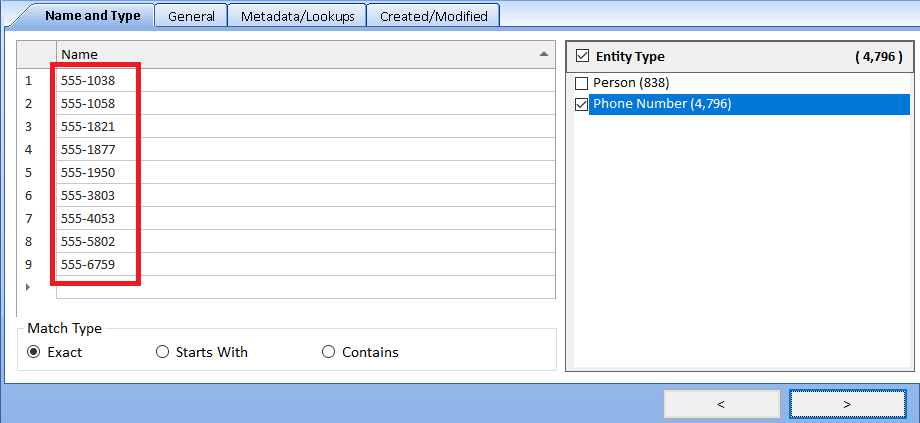
- Click the Next button [ > ] at the bottom right to see the results.
- From the Name and Type tab
Sentinel Visualizer displays the search results. In this case, 7 of the 9 suspected phone numbers are in the database which is promising.
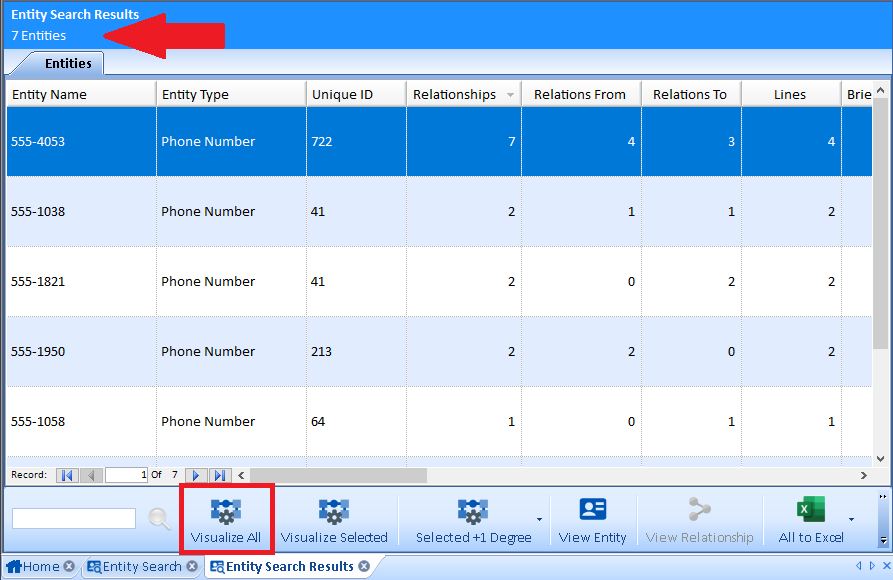
- Each row shows basic information for each phone number including the number of relationships (most likely phone calls) to and from it.
- Optionally export the list to Excel.
- Click the Visualize All button at the bottom of the page.
The 7 phone numbers we found are displayed on the Visualizer Diagram:
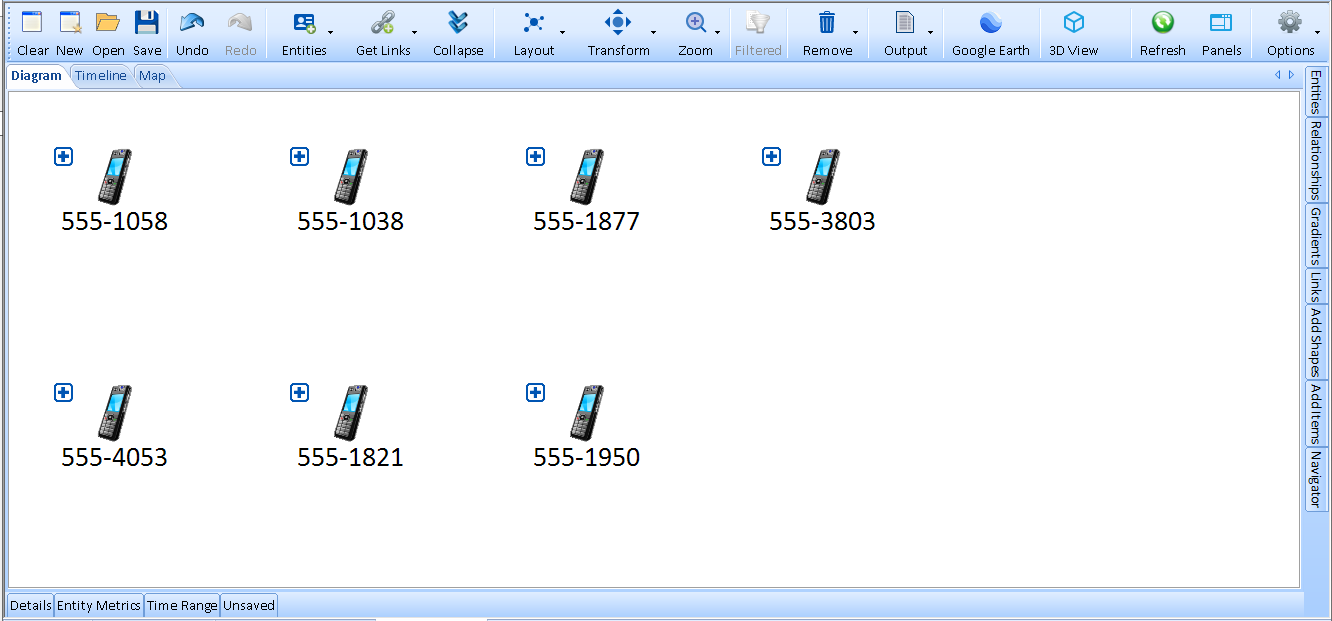
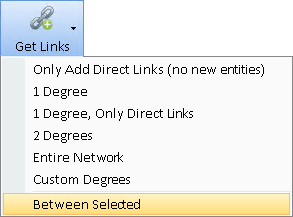
Seven phone numbers can still be a lot to investigate. Let's see if we can find which should be prioritized. Do any of these phone numbers call each other directly or through intermediaries? Use one of the most powerful features of Sentinel Visualizer from the toolbar under Get Links, Between Selected:
-
Between Selected finds the entities and relationships connecting them. Here are the options:
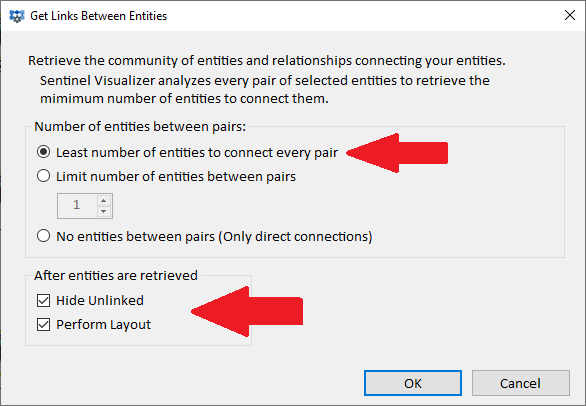
- Select Least number of entities to connect every pair.
- Select the options to Hide Unlinked and Perform Layout.
- Click OK.
-
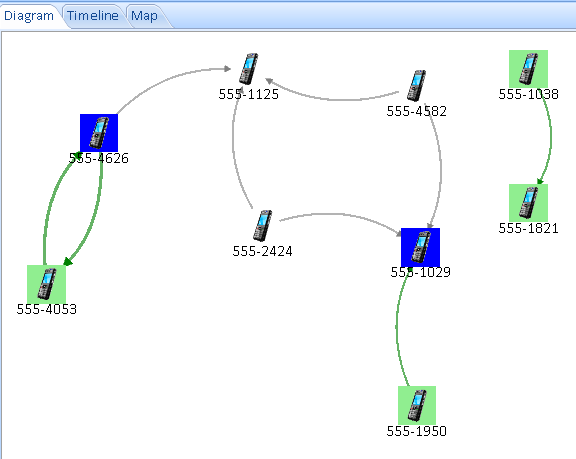
The diagram shows the results of searching the entire database of thousands of phone numbers and phone calls to see how the suspicious phones are connected. The phones in green are from the original 7 phones. The other phones were added from the Links Between analysis. The 3 phones without connections are hidden:
-
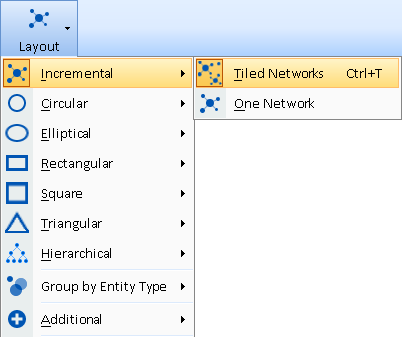
Hint: If you want a new layout, press Ctrl T or from the toolbar, click the Layout button, Incremental, Tiled Networks:
-
Highest Priority Phone Numbers
From the original list of call data records with 4,000+ rows of phone calls, it would be extremely difficult to understand these relationships by just looking or searching the list. With link analysis and visualization, the relationships are very obvious and quick to find.
From the list of 9 suspected phone numbers, Sentinel Visualizer quickly found 7 were in the database, then performed advanced analytics to reveal the most suspicious ones. This prioritizes your limited time and resources to the highest value suspects.
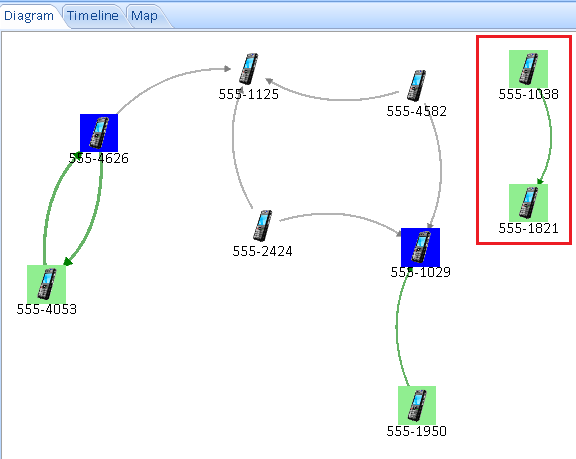
- Sentinel Visualizer discovered two of the suspect numbers called each other directly. They definitely warrant additional investigation.
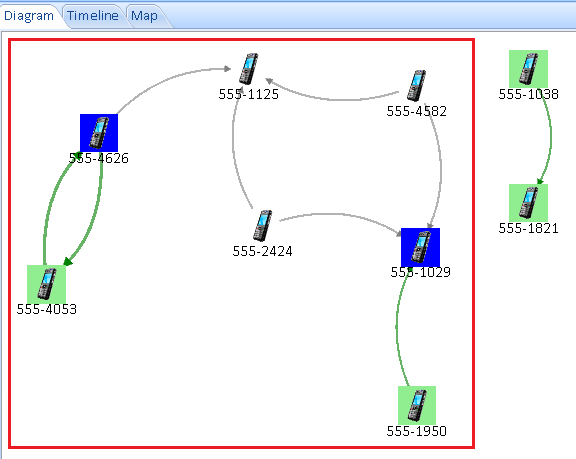
- Sentinel Visualizer also discovered that a pair of targeted numbers (ending in '4053' and '1950') do not call each other directly,
but are connected through 5 intermediaries who were not in the target list. This suspicious group also warrants further investigation:
Add Owners from Phonebook
So far, we just looked at the phones calling each other. The database also includes a phone book of names and phone numbers. We can add the names to the diagram.
We can add every phone's links, but we just want the people, not their many other phone calls. This is done with a few powerful steps:
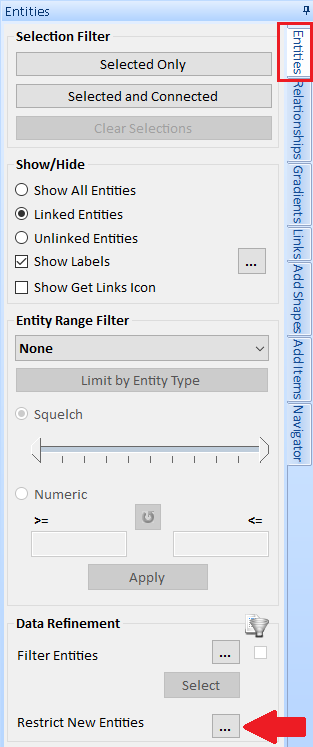
- From the right panel, Entities tab, under Data Refinement, Restrict New Entities, click the [...] button:
- The filter form is similar to the one we used to enter the list of phone numbers.
Limit the Entity Type to Person (no phones), and click the [OK] button:
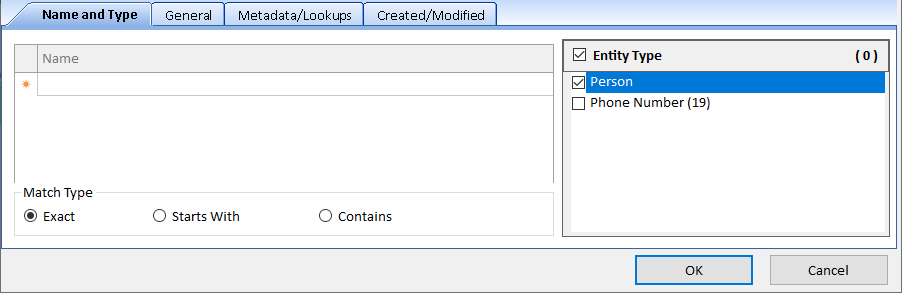
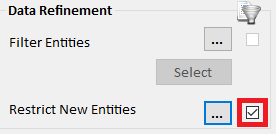
- The box is checked to indicate the restriction is active to only allow adding people:
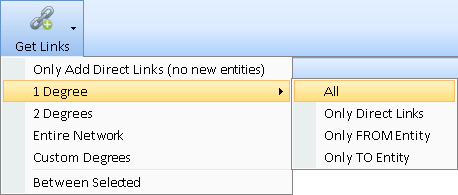
- From the toolbar, select Get Links, 1 Degree, All to add people linked to the phones:
- The phone owners are now added to the link analysis diagram:
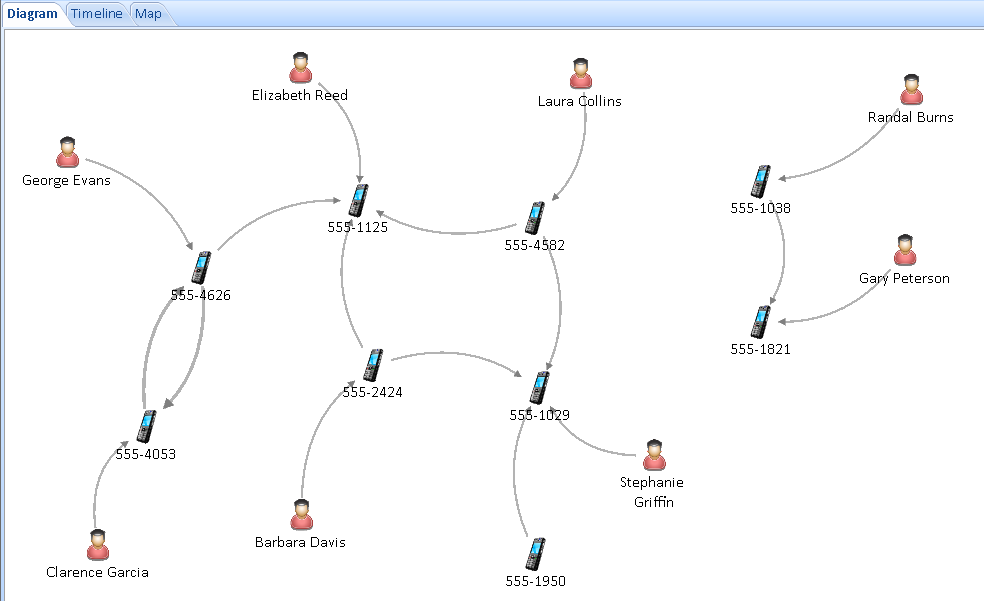
There may not be names for every number. In this case, there is no owner for one phone.
Show Connections Between People
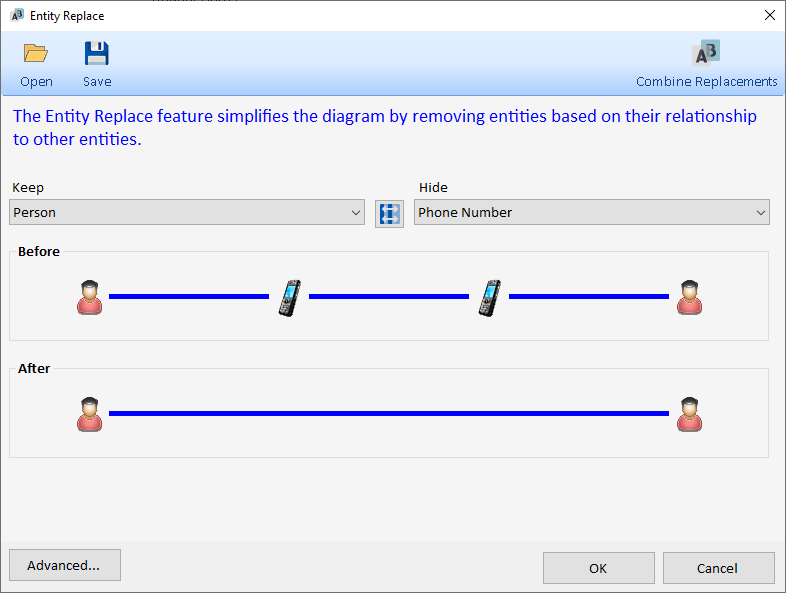
It's probably more important to know who's calling whom rather than phones calling each other. Sentinel Visualizer offers a powerful Entity Replace feature that substitutes one entity type for another. Easily Keep People and Replace Phone Numbers where possible:
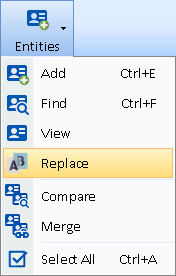
- From the toolbar, choose Entities, Replace:
- The Entity Replace Dialog lets you specify which entity type to keep and replace. Advanced options let you layer multiple replacements. For now, choose this and press [OK]:
- The diagram now shows people calling people after hiding their phones. One phone doesn't have an owner so it remains:
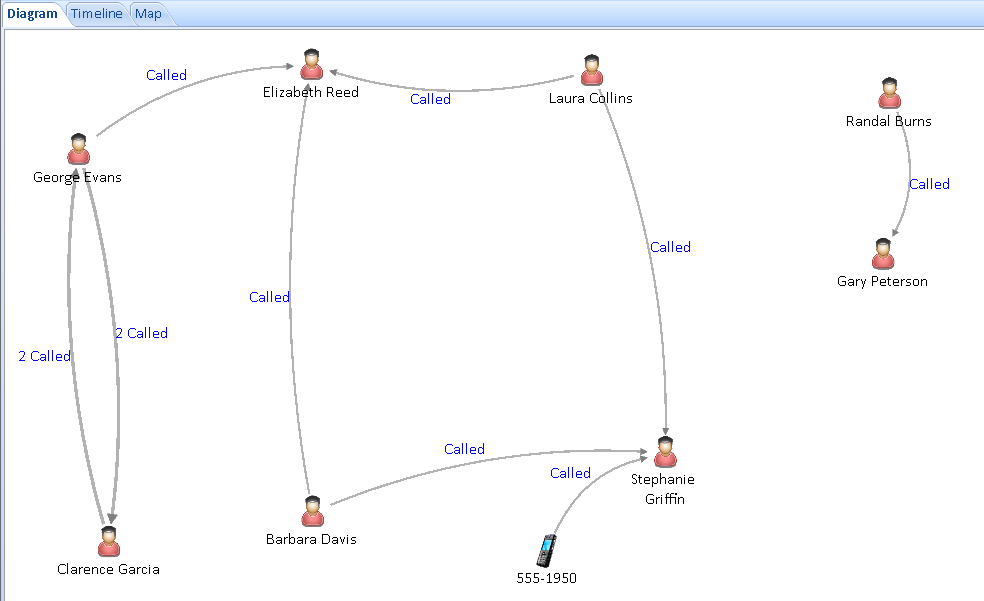
Labels are on the relationship lines (set on right panel, Relationships tab, Show Labels).- Perhaps knowing the other people will help determine the owner of 555-1950 and provide the breakthrough for your case.
Lists of People and Phone Numbers (Entities)
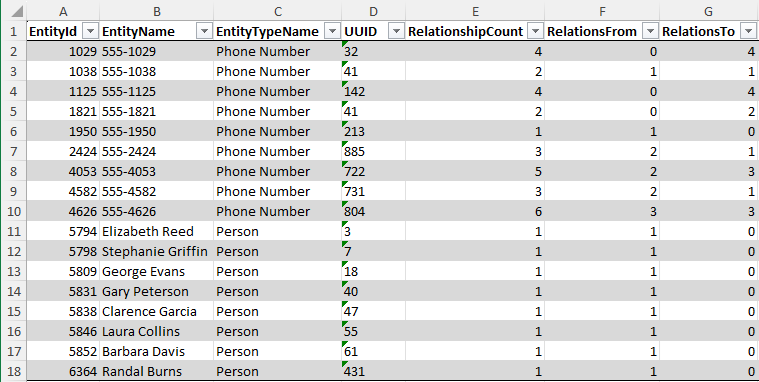
With call data records of thousands of phones and calls between them, we searched for 9 suspicious phone numbers, Sentinel Visualizer found two pairs of targeted numbers that were connected and added 5 additional suspects. Then we added 8 people known to own those phone numbers to discover the people communicating with each other. Start your investigations there.
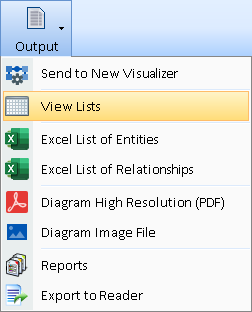
Easily view a list of the entities and relationships on your diagram from the toolbar Output and select View Lists. The lists let you see details and perform additional tasks.
When exported to Excel, the data is placed as a table in your spreadsheet with column headers that make it easy to sort and filter:
Microsoft Certified Partner

Partners Welcome
Do you provide services to government and commercial customers seeking analytic solutions?
Contact us
In-Q-Tel Portfolio Company

Discover
Sentinel Visualizer Comparison to Harris/IBM's i2 Analyst's Notebook